
Interactive E-learning Lessons for EYFS to GCSE
Find the right e-learning lessons by subject, stage and topic. Combine filters to shape your next learning session.
156 resources
Page 1 of 7
KS3 Maths — Module 1: Number
Key Stage 3 · Year 7 · Year 8 · Year 9
20 minutes · suggested activity time
£1.29 · individual resource
Learning records
Saved answers · Submitted results
Tools follow your current account permissions.
KS3 Maths — Module 2: Fractions, decimals & percentages
Key Stage 3 · Year 7 · Year 8 · Year 9
20 minutes · suggested activity time
£1.29 · individual resource
Learning records
Saved answers · Submitted results
Tools follow your current account permissions.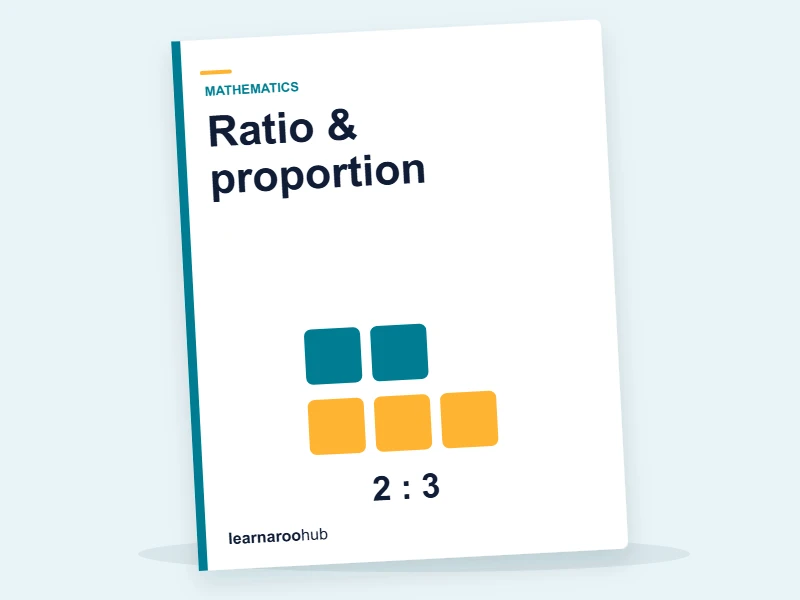
KS3 Maths — Module 3: Ratio & proportion
Key Stage 3 · Year 7 · Year 8 · Year 9
20 minutes · suggested activity time
£1.29 · individual resource
Learning records
Saved answers · Submitted results
Tools follow your current account permissions.
KS3 Maths — Module 4: Algebra
Key Stage 3 · Year 7 · Year 8 · Year 9
22 minutes · suggested activity time
£1.29 · individual resource
Learning records
Saved answers · Submitted results
Tools follow your current account permissions.
KS3 Maths — Module 5: Geometry & measures
Key Stage 3 · Year 7 · Year 8 · Year 9
20 minutes · suggested activity time
£1.29 · individual resource
Learning records
Saved answers · Submitted results
Tools follow your current account permissions.
KS3 Maths — Module 6: Statistics & probability
Key Stage 3 · Year 7 · Year 8 · Year 9
20 minutes · suggested activity time
£1.29 · individual resource
Learning records
Saved answers · Submitted results
Tools follow your current account permissions.
KS3 English — Module 1: Reading & comprehension
Key Stage 3 · Year 7 · Year 8 · Year 9
20 minutes · suggested activity time
£1.29 · individual resource
Learning records
Saved answers · Submitted results
Tools follow your current account permissions.
KS3 English — Module 2: Punctuation
Key Stage 3 · Year 7 · Year 8 · Year 9
20 minutes · suggested activity time
£1.29 · individual resource
Learning records
Saved answers · Submitted results
Tools follow your current account permissions.
KS3 English — Module 3: Grammar
Key Stage 3 · Year 7 · Year 8 · Year 9
20 minutes · suggested activity time
£1.29 · individual resource
Learning records
Saved answers · Submitted results
Tools follow your current account permissions.
KS3 English — Module 4: Spelling & vocabulary
Key Stage 3 · Year 7 · Year 8 · Year 9
20 minutes · suggested activity time
£1.29 · individual resource
Learning records
Saved answers · Submitted results
Tools follow your current account permissions.
KS3 English — Module 5: Writing for purpose
Key Stage 3 · Year 7 · Year 8 · Year 9
22 minutes · suggested activity time
£1.29 · individual resource
Learning records
Saved answers · Submitted results
Tools follow your current account permissions.
KS3 English — Module 6: Poetry & literary devices
Key Stage 3 · Year 7 · Year 8 · Year 9
20 minutes · suggested activity time
£1.29 · individual resource
Learning records
Saved answers · Submitted results
Tools follow your current account permissions.
KS3 Science — Module 1: Cells & living things
Key Stage 3 · Year 7 · Year 8 · Year 9
20 minutes · suggested activity time
£1.29 · individual resource
Learning records
Saved answers · Submitted results
Tools follow your current account permissions.
KS3 Science — Module 2: Particles & reactions
Key Stage 3 · Year 7 · Year 8 · Year 9
20 minutes · suggested activity time
£1.29 · individual resource
Learning records
Saved answers · Submitted results
Tools follow your current account permissions.
KS3 Science — Module 3: Forces & energy
Key Stage 3 · Year 7 · Year 8 · Year 9
20 minutes · suggested activity time
£1.29 · individual resource
Learning records
Saved answers · Submitted results
Tools follow your current account permissions.
KS3 Science — Module 4: Body systems & ecosystems
Key Stage 3 · Year 7 · Year 8 · Year 9
20 minutes · suggested activity time
£1.29 · individual resource
Learning records
Saved answers · Submitted results
Tools follow your current account permissions.
KS3 Science — Module 5: Periodic table & materials
Key Stage 3 · Year 7 · Year 8 · Year 9
20 minutes · suggested activity time
£1.29 · individual resource
Learning records
Saved answers · Submitted results
Tools follow your current account permissions.
KS3 Science — Module 6: Electricity, light & sound
Key Stage 3 · Year 7 · Year 8 · Year 9
20 minutes · suggested activity time
£1.29 · individual resource
Learning records
Saved answers · Submitted results
Tools follow your current account permissions.
KS3 History — Module 1: The Norman Conquest
Key Stage 3 · Year 7 · Year 8 · Year 9
20 minutes · suggested activity time
£1.29 · individual resource
Learning records
Saved answers · Submitted results
Tools follow your current account permissions.
KS3 History — Module 2: Medieval England
Key Stage 3 · Year 7 · Year 8 · Year 9
20 minutes · suggested activity time
£1.29 · individual resource
Learning records
Saved answers · Submitted results
Tools follow your current account permissions.
KS3 History — Module 3: The Tudors
Key Stage 3 · Year 7 · Year 8 · Year 9
20 minutes · suggested activity time
£1.29 · individual resource
Learning records
Saved answers · Submitted results
Tools follow your current account permissions.
KS3 History — Module 4: Stuarts & the Civil War
Key Stage 3 · Year 7 · Year 8 · Year 9
20 minutes · suggested activity time
£1.29 · individual resource
Learning records
Saved answers · Submitted results
Tools follow your current account permissions.
KS3 History — Module 5: Industrial Revolution & Empire
Key Stage 3 · Year 7 · Year 8 · Year 9
20 minutes · suggested activity time
£1.29 · individual resource
Learning records
Saved answers · Submitted results
Tools follow your current account permissions.
KS3 History — Module 6: The 20th century
Key Stage 3 · Year 7 · Year 8 · Year 9
20 minutes · suggested activity time
£1.29 · individual resource
Learning records
Saved answers · Submitted results
Tools follow your current account permissions.Your questions, answered
What is included in an e-learning lesson?
A lesson may combine explanation, examples and checks for understanding. The individual resource page describes the exact activity.
How is e-learning different from a quiz?
E-learning is intended to guide a learner through teaching and practice; a quiz is primarily a check of what the learner can recall or apply.
Can learners complete activities independently?
Many can, but support should reflect the learner's age, reading level, additional needs and familiarity with the topic.
Can teachers use these for blended learning?
Yes. A teacher can combine a digital activity with direct teaching, discussion and offline practice after previewing the resource.
How do I find a lesson for a topic?
Search a keyword, then narrow by stage, year, subject or topic. The route remains locked to e-learning lessons.
Are there free e-learning lessons?
Use the Free access filter to see activities that can be opened without a paid subscription.
What device or browser is needed?
Requirements can differ by activity. Check the individual resource page and use a current supported browser.
How is the content checked and mapped?
Check the learning focus and supporting information for the individual resource against your school’s programme or the current examination specification. Coverage and review evidence should be assessed for the resource you choose.