
Where are you learning today?
Choose a key stage, then follow the subjects and topics that matter to your learner.
Early years
Make space for first discoveries.
Explore Early years ↗Key Stage 1
Build confidence with the foundations.
Explore Key Stage 1 ↗Key Stage 2
Explore ideas and put them into practice.
Explore Key Stage 2 ↗Key Stage 3
Connect concepts across subjects.
Explore Key Stage 3 ↗GCSE
Find focused practice for the next challenge.
Explore GCSE ↗Not sure where to begin?
Start with a familiar topic. Use the library filters to find a suitable stage and format.
At home, in class, or learning independently.
Keep the next step clear for the people doing the learning and the people supporting it.
A little support.
A clearer next step.
Find an activity, learn together and return to the records available for your linked children.
Explore family learning ↗From a teaching idea
to purposeful practice.
Explore resources by subject and stage, then use the assignment and class tools your account permits.
Explore school & teacher tools ↗Something to discover.
Space to have a go.
Choose a topic, read the instructions and use the activity tools available on each resource.
Explore the learning library ↗Find it. Try it. Come back to it.
Small, purposeful steps make a new learning space easier to use.
- 01
Find a useful starting point
Browse a stage or search a topic. Narrow the results by subject and resource type.
- 02
Choose how to learn
Check the instructions, learning tools and availability. Open an activity or use a printable where offered.
- 03
Reflect and return
Review the feedback and records available to your account. Use them to choose what to practise next.
Find your year group.
Browse the year-group tags in the current resource catalogue. Availability and topic depth vary by subject.
A resource for the way you learn.
An activity book today, a quiz tomorrow. Explore the formats in the library and choose what fits.
Activity books
A guided sequence to explore, practise and reflect.
Browse activity books ↗Printables & PDFs
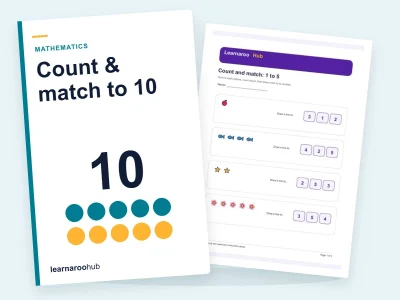
Find resources to read, download or use on paper where available.
Browse printables & pdfs ↗Quizzes
Check an idea with questions and review the available feedback.
Browse quizzes ↗Flashcards
Revisit key terms and ideas in smaller steps.
Browse flashcards ↗E-learning
Explore activities designed for on-screen learning.
Browse e-learning ↗Practice papers
Find paper-based practice and check its subject and level.
Browse practice papers ↗Video lessons
Watch an explanation and pause to think along.
Browse video lessons ↗Audio lessons
Listen to a topic and return to the parts you need.
Browse audio lessons ↗Know what you are opening.
A useful resource begins with clear information.
Context before commitment
Check subject, stage, resource type and availability on the resource page.
Your account, your permissions
Learning and management actions follow your current account, linked learners and access.
Records with meaning
Views, downloads and completed attempts stay distinct, so each record tells you what happened.
Good questions. Clear answers.
Can I explore before signing in?
Yes. Browse the public library and resource details without signing in. You will be asked to sign in when an activity, download or account action requires it.
Which learning stages can I browse?
Use the stage and year-group links above to explore the current catalogue, from early years to GCSE. Read each resource’s subject, stage and activity details to judge whether it fits your learner.
How do parents and educators use Learnaroo differently?
Parents support the children linked to their account. Teachers and school leaders use the class, learner and management tools available to their role. A managed account keeps subscription controls with its responsible owner.
Can learning happen on screen and on paper?
The library includes on-screen activities and printable resources. The available options depend on the resource and your account access; check the resource page before you begin.
Does opening a resource count as completing it?
No. Views, downloads, saved answers and completed attempts are different records. The resource shows which learning tools are available. Completion alone does not establish mastery.
Where can I check access and membership options?
Resource pages explain availability. Account owners can review membership options and use the membership controls available in their workspace. Managed accounts follow their owner’s access and permissions.
Find the right starting point for you.
Explore the library first, or compare the current memberships for families and educators.